How To Convert Excel Sheet Or Cells To Html Table?
Supposing you have a range of cells, and you want to convert the range of cells to an html table as below screenshot shown, how can you quickly handle it? Excel to HTML Table Converter is a PHP Script for this function, it can easily convert a sheet or a range of Excel cells to html table, so you can show the Excel data in HTML table quickly.
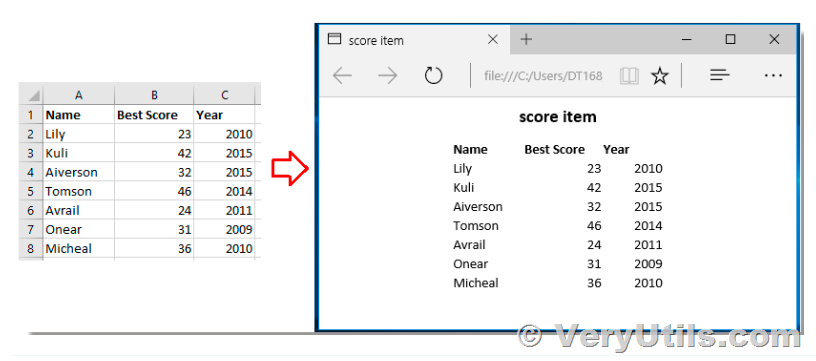
If you created a pretty Excel table and now want to publish it online as a web page, the simplest way is to export it to an old good html file. In this article, we are going to use VeryUtils Excel to HTML Table Converter to convert your Excel data to HTML.
1. The first, please go to the home page of VeryUtils Excel to HTML Table Converter product,
https://veryutils.com/excel-to-html-table-converter
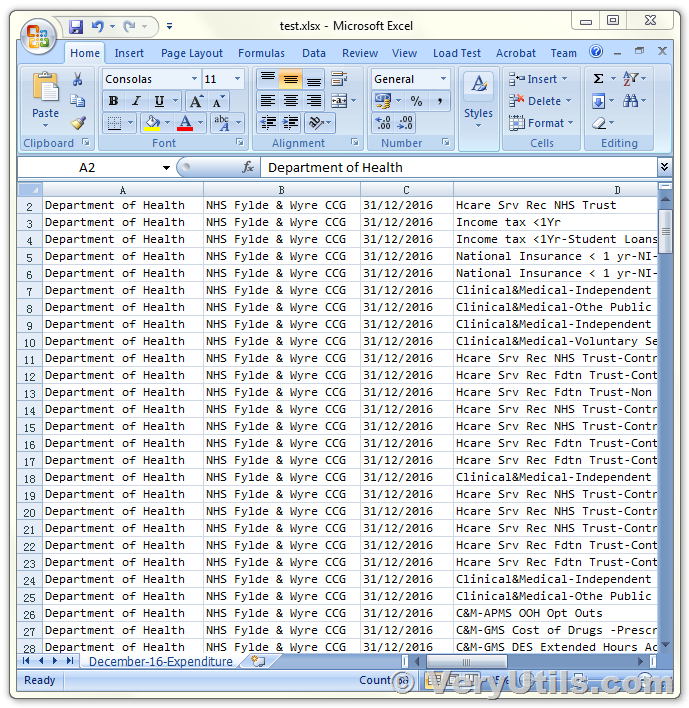
You can click "Live Demo" button to open the demo page. The following is the screenshot of original "test.xlsx" file,
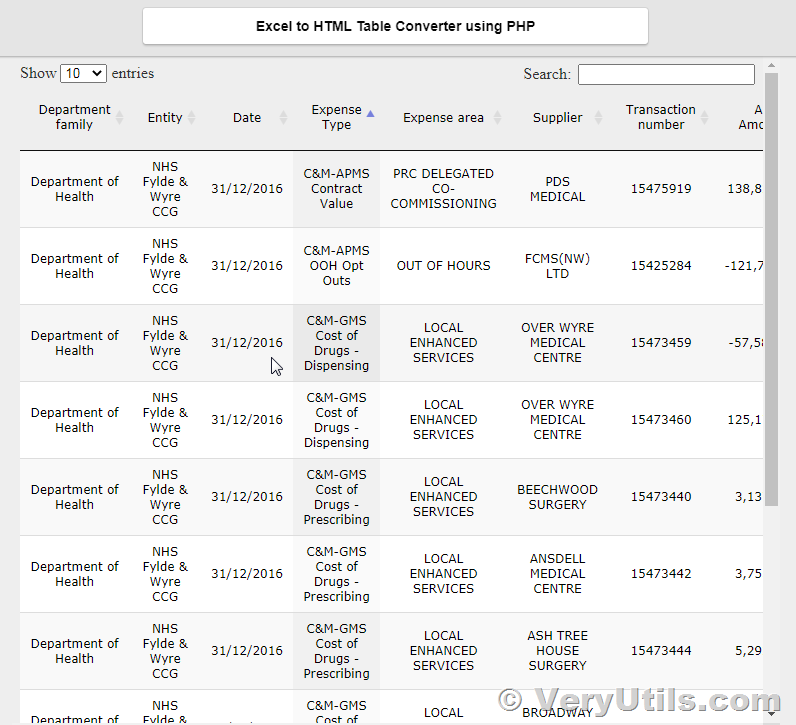
In the demo page, you will get a beautiful HTML table, this HTML table has Search and Pagination functions, you can search the data in the HTML table easily.
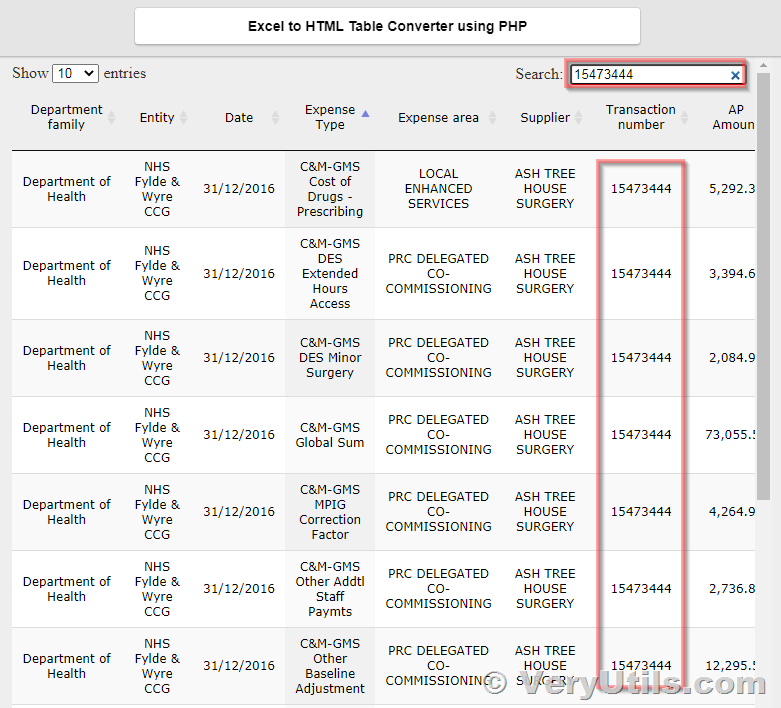
For example, we can enter "15473444" to search all rows which contain "15473444" only,
Excel to HTML Table Converter for PHP Script is the best script to convert Excel Spreadsheets to HTML Table, you can run this script from local system or on a server. This script is a standalone application, it doesn't require MS Excel and any other applications installed in your system.
If you are interested in this script, you may purchase it from this web page,
https://veryutils.com/excel-to-html-table-converter
After you buy it online, you will get the full source code automatically.
Related Posts
- VeryUtils Excel Converter Command Line is the best choice for converting any type of Excel tables
- Convert from Excel to HTML easily with VeryUtils Data Transform Software
- SMTP Server Rotation, Interval Control, and Recipient Limits in Bulk Email Sender (PHP Batch Email Sender)
- JavaScript Barcode Scanner SDK – QR Code & 1D/2D Barcode Reader for Web and Mobile Apps
- VeryUtils Excel Converter Command Line can Convert Excel files via command line
- VeryUtils HTML5 Excel Sheets: Best Online Spreadsheet Editor with VeryUtils HTML5 Excel Online Web App
- VeryUtils Responsive PHP Contact Form with jQuery AJAX
- VeryUtils Appointment Booking and Scheduling Software System
- VeryUtils URL Shortener is a PHP URL shortener script for web developers
- PHP Member Login Script for Developers
- Best Email Capture and Email Collector Tools, Tools to Collect Contacts from the Web
- Convert from Excel to HTML easily with VeryUtils Data Transform Software
- Web Email Extractor to extract email addresses
- Use VeryUtils WordPress File Manager Plugin to manage Media Library Folders
- Best VeryUtils QR Code Menu platform with Online Payment Gateway Integration
- Best Practices for Managing Large-Scale Print Jobs in Accounting Firms with SPLParser
- Use VeryUtils Windows Data Recovery Software to Recover Your Lost, Deleted, Formatted, Corrupt Drive Files Completely & Easily!
- How to Use Browser-Based PDF Annotation Tools for Teams to Review, Highlight, Comment, and Collaborate on PDF Documents Quickly
- Web-Based QR Code Scanning for Travel and Border Control Systems Using JavaScript
- VeryUtils Windows data recovery software specializes in document, photo, video, music and archive recovery